
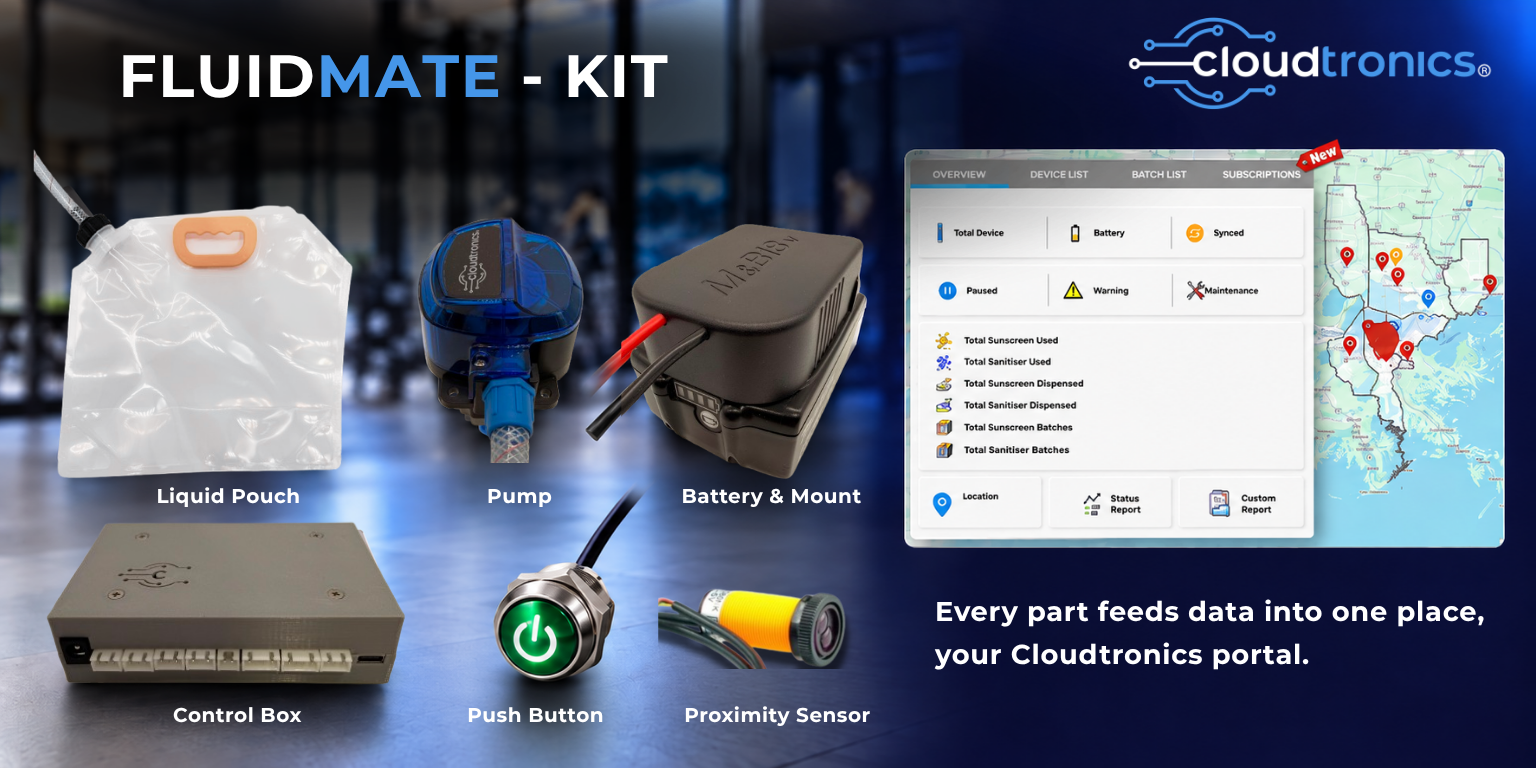
Quick answer: FluidMate Kit is a battery-powered liquid dispensing kit that logs every single dispense, not just how much sanitiser, soap or water went out, but when and how often. That log is what turns a routine hygiene station into something a gym can show a sponsor, a festival can show a vendor, or a facilities manager can pull up across ten sites from one screen.
A basic sanitiser station gives you sanitiser. That’s it. Someone presses the pump, liquid comes out, and the story ends there. Nobody ever looks at a wall-mounted bottle of hand sanitiser again unless it’s empty.
FluidMate Kit tells a longer story. Every time someone presses the button or waves a hand past the sensor, that dispense gets counted, time-stamped and synced to a cloud portal. Over a week, that’s a pattern. Over a month, it’s a trend line. And for a lot of the businesses already running FluidMate Kit, that trend line has turned out to be worth as much as the liquid itself, because it’s proof. Proof of how busy a venue really is, proof of how many samples actually went out at an activation, proof a facilities team can hand a client instead of a guess.
That’s genuinely the differentiator here, and it’s one almost nobody else in this category is talking about. Most competitors selling sanitiser stations, soap dispensers or event hygiene stations are selling a fixture. FluidMate Kit is a fixture that also hands you a business asset. Below, we’ll walk through exactly what that looks like in practice, what the portal actually tracks, and how the kit itself works, including the one other thing that makes it possible anywhere: it doesn’t need a power point.
Why "no power point needed"
Before getting into the data side, it’s worth explaining why FluidMate Kit can go where a normal dispenser can’t, because that’s what makes the data story possible in the first place. You can’t collect usage data from a location where you couldn’t install a station at all.
FluidMate Kit runs on a battery (the same 19V-class pack that powers a cordless drill) instead of mains power. Clip on a charged battery and, depending on how often it’s used, one charge typically lasts between 1 and 3 months. That means it can mount on a gym wall or a festival gate post, nowhere near a power point in either case, with no cable across a walkway, no electrician call-out, and no compromise on where the station actually needs to be for people to use it.
What's actually in the kit
The kit is six parts, and each one does a specific job.
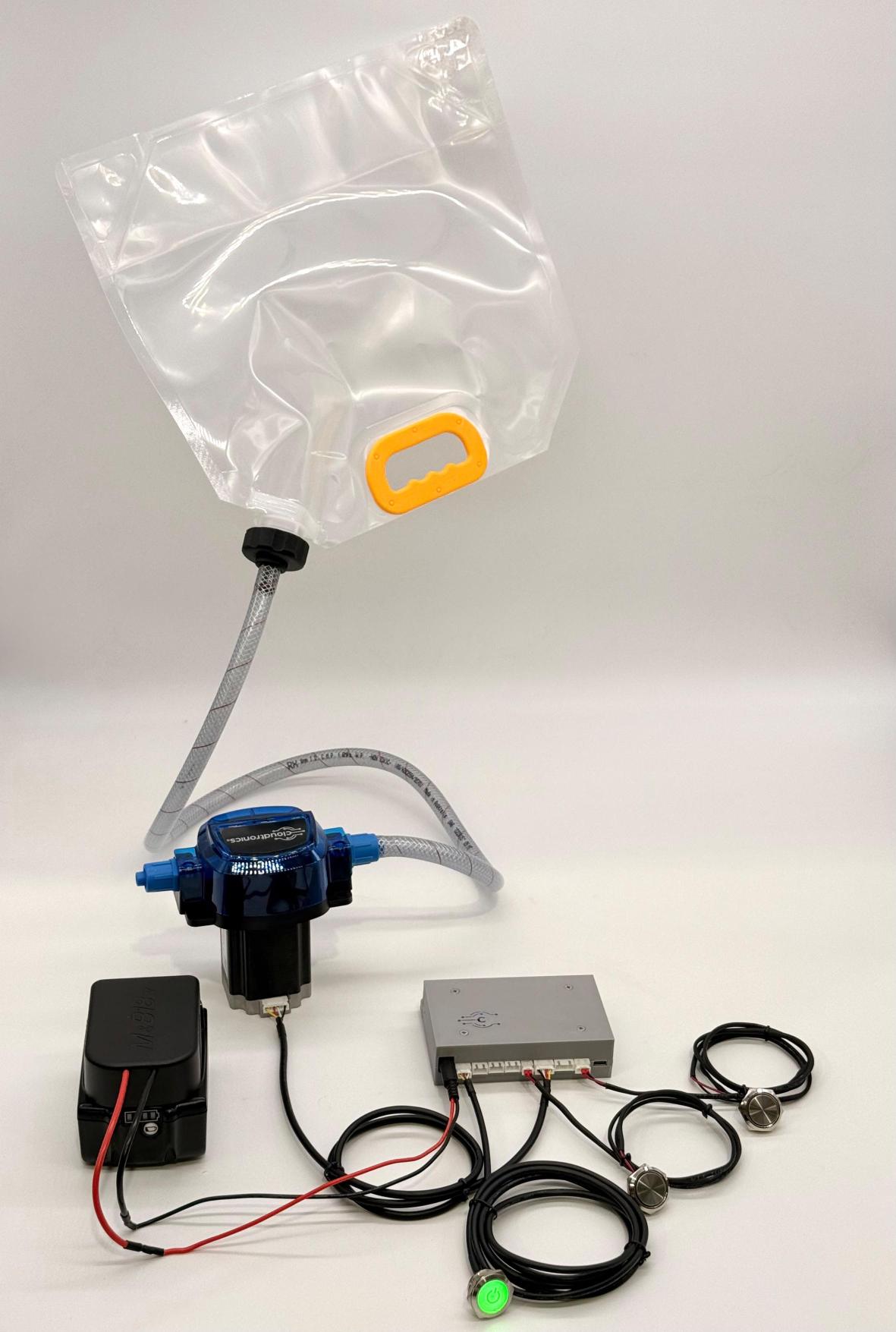
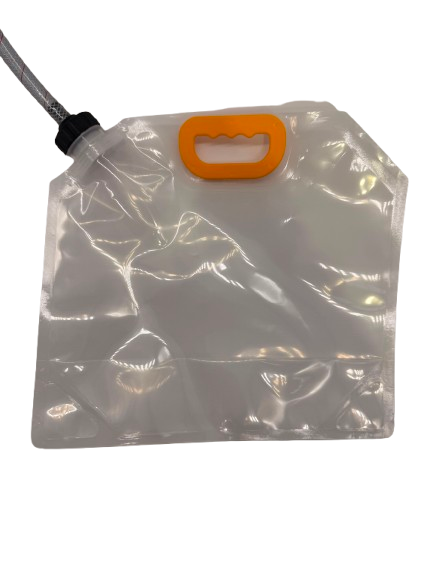
Liquid Pouch
It's where the liquid actually lives. A soft, refillable pouch collapses as it empties instead of holding its shape like a bottle,so no air gets pulled into the line, and the pump never runs dry.
Holds whatever you're dispensing,water, sanitiser, sunscreen, soap, juice. Refill it in seconds, or swap in your own container instead.
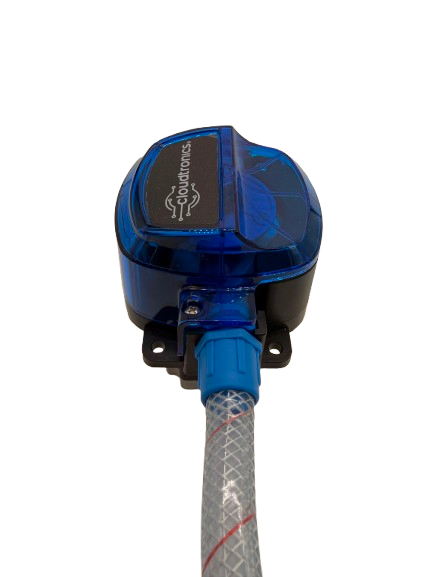
Pump
It's what actually moves the liquid. A peristaltic pump rolls the fluid through the tubing without it ever touching the motor, so it stays food-safe and doesn't wear out from what's inside it.
Handles thick or thin liquids the same way, from water to sunscreen, and keeps running refill after refill.
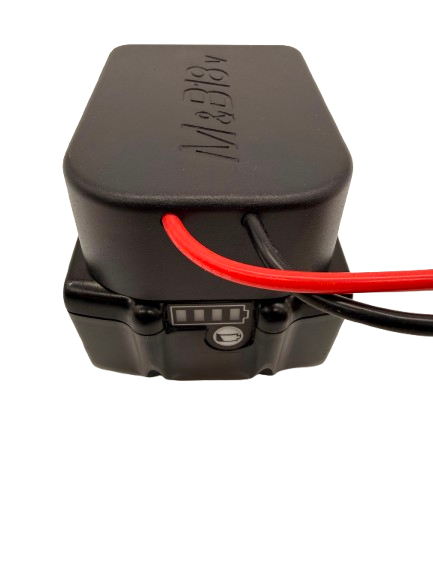
Battery + Mount
It's the reason this kit doesn't need a wall outlet. It clips onto the same battery that runs a cordless drill,power most job sites and events already have on hand.
Because the system only wakes up when it needs to, one charge typically lasts about a month. Swap a flat battery for a charged one in seconds.
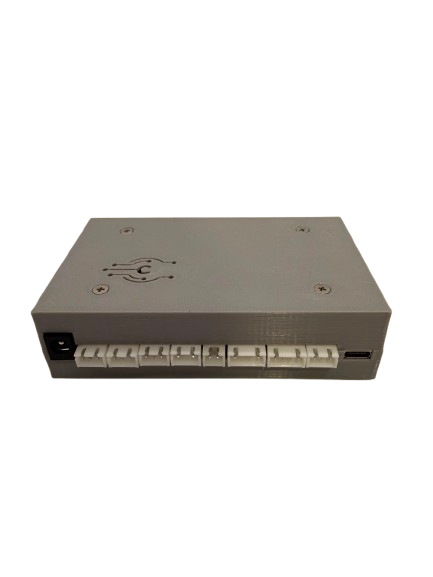
Control Box
Every wire in the kit runs through here. It regulates the battery's power, listens for a button press, and quietly logs every dispense.
Simple wiring, no technical setup,plug in the battery, the buttons and the pump, and it handles the rest, syncing usage data to the portal on its own schedule.
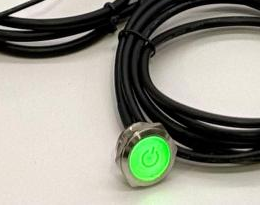
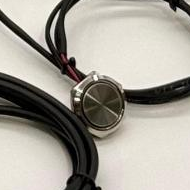
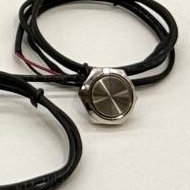
Controls
It's how you actually run the kit. Press the green button first to power the unit on, then press a dispense button for the liquid you want.
One dispense button per liquid,one for a single-pump kit, two for dual-pump. No app, no phone, no learning curve.
Prefer hands-free? Swap the button for a proximity sensor and dispense completely touch-free,same wiring, no site rewiring needed.
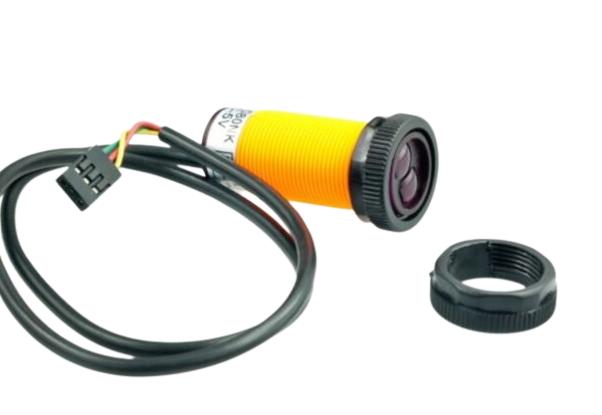
Proximity Sensor
It's the touch-free alternative to the push button,an infrared sensor that detects a hand nearby and triggers a dispense without any contact at all.
Ideal for hand-sanitiser stations or anywhere hygiene matters most,wires into the same control box as the button, no new hardware required.
It can run as a single-pump setup or a dual-pump setup, dispensing two different liquids from one unit, useful for a site that wants sanitiser and soap side by side without installing two separate stations.
Why Businesses Actually Use FluidMate Kit
Prove your foot traffic
Busy hours and high usage turn dispensing numbers into proof of engagement, and that’s a real, sellable thing. Say you run a gym with a sponsor paying for signage near the entrance. Instead of telling that sponsor “we get decent traffic,” you can show them an actual usage graph: dispense counts by hour, by day, across a six-month trend. A sponsor paying for visibility wants exactly that kind of evidence, the same way an ad platform sells impressions instead of vibes. The same logic applies to a festival gate, a shopping centre concourse, or any space where foot traffic is the thing you’re actually monetising.
Track samples and giveaways, precisely
Running a sampling booth or a product activation means someone usually has to ask, or guess, how many samples actually went out. FluidMate Kit removes the guesswork: every dispense is counted automatically, so a brand running a giveaway knows the exact number, not an estimate written on a clipboard at the end of the day. That matters if you’re billing a client per sample distributed, or reporting back to a brand partner on how their activation actually performed.
Manage every site from one screen
For a business running more than one location (a gym chain, a facilities management company, an event hire operator with stations at several venues), the portal shows usage across every device from a single login. No calling each site manager to ask how things are going; the numbers are already sitting in one dashboard.
What can the FluidMate portal actually track?
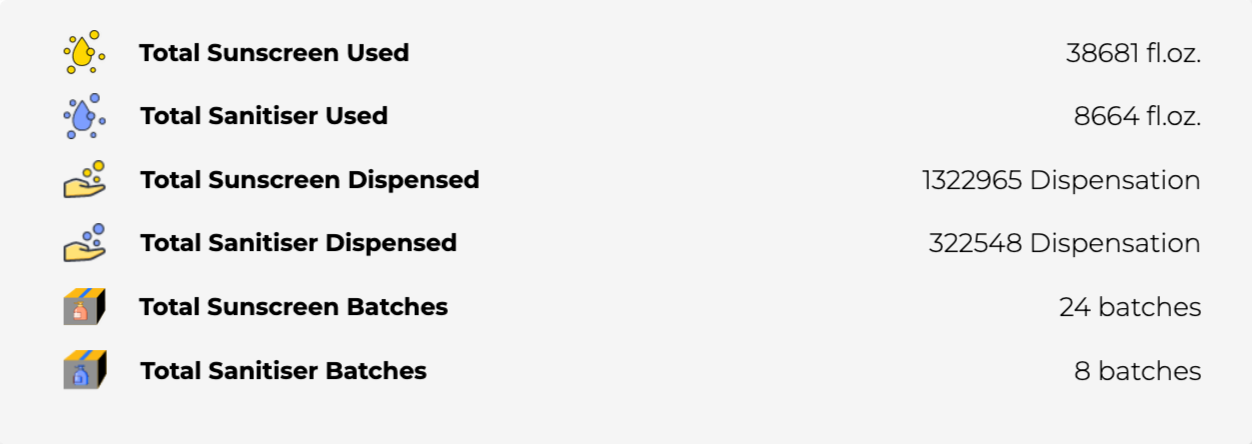
- Dispense totals: lifetime totals, and totals broken down by batch.
- A usage trend graph: a rolling view (currently shown as a 6-month trend) of dispensing activity over time, which is what makes patterns like “our busiest window is 2–3pm” visible at a glance.
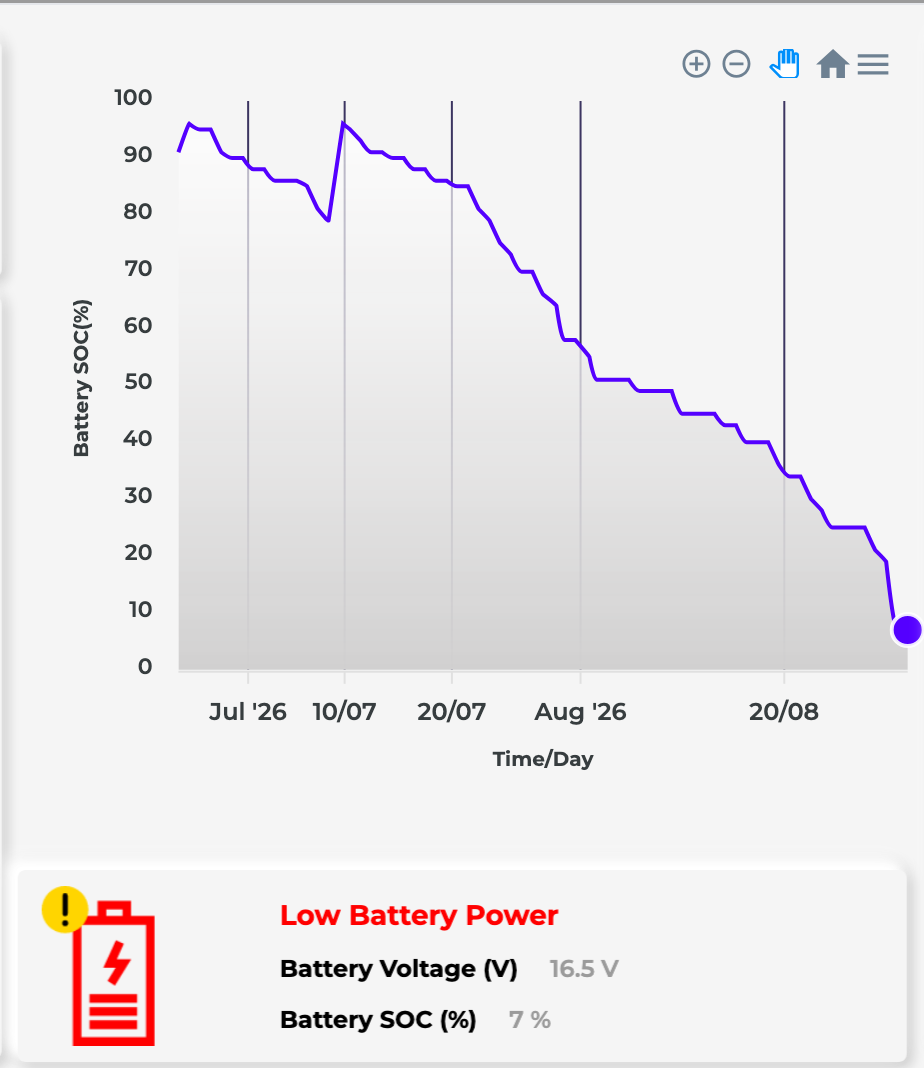
- Battery level: so nobody turns up to a flat unit.
- Automatic status alerts: things like a low-battery warning get flagged and sent to you automatically, rather than you finding out on site.
- Multi-device view: every unit you own, visible from one login, useful the moment you have more than one site.
- Single vs dual-pump configuration data, where relevant.
One thing worth being upfront about: this isn’t a security-camera-style live feed. The usage trend syncs on a regular schedule rather than streaming second by second, and dispensing itself is always triggered on site, never fired remotely from the portal. That’s a deliberate trade-off, and part of what makes the 1–3 month battery life possible in the first place. More on exactly how that works in the FAQ below.
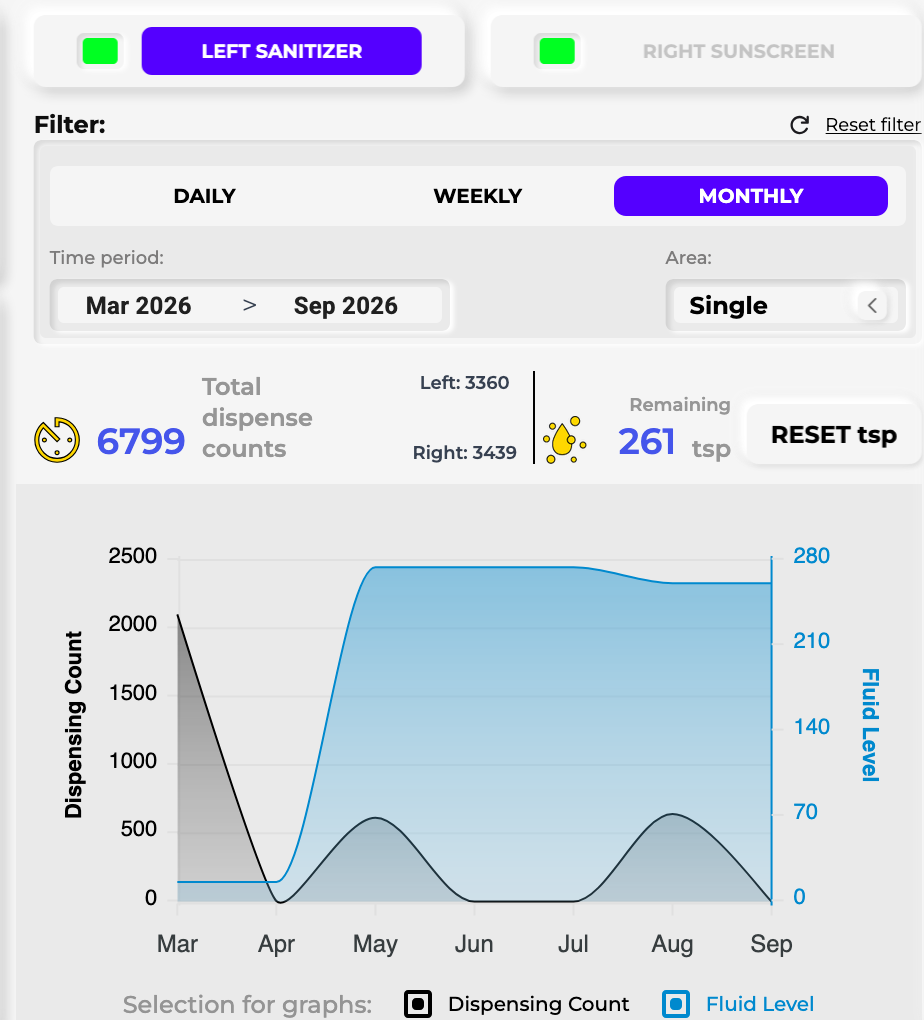
6-month trend, 6,799 dispenses tracked automatically, split left and right, filterable by day, week or month.
Lifetime totals for this device every fluid used, every dispense counted, every batch logged, automatically.
This is a alert, the portal caught this device's battery running low and flagged it automatically.
Where it fits
FluidMate Kit dispenses hand sanitiser, soap, drinking water, moisturiser, or juice and drinks. The pump doesn’t care what’s in the pouch, only that it’s a liquid. Because of that flexibility, some businesses use the same hardware for things a little further afield too, like sunscreen stations at sports grounds and pools.
In practice, that spreads across a fairly wide range of sites: gyms and fitness studios wanting sanitiser at the entrance without a cable running across the floor; event and hire companies who need a station that can be set up, packed down and moved to the next job; schools using it in corridors and demountables where wiring a new outlet isn’t worth the cost; offices and clinics that want a soap or sanitiser station without an electrician visit; and construction or industrial sites that need drinking water or sanitiser somewhere with no fixed power at all.
Two ways businesses put FluidMate Kit to work
If you want to install and run a dispensing station at your own site (a gym floor, a school corridor, an event gate, a washroom), FluidMate Kit is built for exactly that. You buy the kit, mount it where you need it, and manage everything yourself through the portal: dispense data, battery alerts, reports, all of it. The perfect use case here is simple: a facilities manager or venue owner who wants a working hygiene or dispensing station up within days, with real usage numbers flowing into a dashboard from day one, and no ongoing engineering effort required on their end.
But you don’t have to be the one running the station day-to-day to get value out of FluidMate Kit. Plenty of businesses buy it as an OEM or channel partner instead. They take the control box, pump and battery system and build it into their own product, under their own branding, then sell that finished product on to their own customers. Cloudtronics supplies the dispensing engine and the portal underneath; the partner handles the housing, the branding and the customer relationship on their side. The perfect use case here looks different: a company that already manufactures vending equipment, smart lockers, sun-safety stations or similar fixtures, and would rather build on proven, working dispensing hardware than design pumps, batteries and firmware from scratch.
So whichever one describes you (running it yourself, or building it into something you sell), the starting point is the same conversation. Tell us which one you are when you get in touch, and we’ll point you in the right direction from there.
Ready to see what your own usage data would look like?
Most sanitiser stations give you liquid and nothing else. This one gives you liquid and a running record you can actually use: to prove attendance, bill a client accurately, or manage ten sites without chasing ten phone calls.
FAQs
How long does FluidMate Kit run on one battery charge?
About 1–3 months. FluidMate Kit only wakes up when it needs to — for a dispense or a scheduled portal sync — so a single power-tool battery charge typically lasts between 1 and 3 months, depending on usage.
What liquids can FluidMate Kit dispense?
Any liquid, regardless of viscosity, including hand sanitiser, soap, water, sunscreen, moisturiser and juice. The pump and pouch are food-safe and don't react to what's inside, so the same kit works across all of them.
Does FluidMate Kit need WiFi or a power outlet?
FluidMate Kit connects over 4G or Wi-Fi, whichever's available on site, and runs on a standard power-tool battery instead of mains power — so it can be set up anywhere with mobile signal, no wall outlet or fixed network required.
Can dispensing be triggered remotely from the portal?
No. Dispensing is always triggered on site by pressing the physical button. The Cloudtronics portal tracks usage data — battery level, dispense counts, and alerts — it does not fire the pump remotely.
Can FluidMate Kit run two pumps at once?
Yes. The same control box supports single-pump or dual-pump mode. Wiring in a second pump and pouch lets it dispense two different liquids, or doubles the throughput of one, without adding a second controller.
What is FluidMate Kit used for?
FluidMate Kit is used for portable dispensing wherever there's no power point available — hand sanitiser and soap stations (where consistent hand hygiene really matters), drinking water points, sunscreen stations (supporting everyday sun safety), and sample or drink dispensing at events, pop-ups and outdoor sites.
What stops FluidMate Kit from wasting liquid if the button jams?
FluidMate Kit automatically shuts itself off if it dispenses continuously for longer than expected, which protects against a stuck button, tampering, or accidental waste.
Why do businesses track FluidMate Kit usage data?
Because every dispense is logged automatically, businesses use that data as proof of foot traffic or engagement — for example, showing sponsors when a site is busiest, or billing accurately for product samples handed out at an event.